Texas 42: the classic Texas domino game, with bots worth playing and a coach that tells you the truth
Coming soon for general use
Texas 42 is in limited-use testing with family and invited friends. It isn’t open to the public yet, so for now you’ll need an invitation to play. This guide describes the game as it is today; details may change as testing goes on.
Texas 42 is the domino game Texans grew up with: four players in two partnerships, bidding, trumps, and seven tricks for 42 points. This app gives you a complete 42 table. Play with family at the same table from your own devices, fill any empty chair with a bot, and after every hand step back through it with a coach that grades your decisions.
It runs in the web browser on iPad, iPhone, Android phones and tablets, and computers; there’s nothing to download from an app store. It’s at its best on an iPad in landscape, where everything is sized to read comfortably across the table.
Never played 42?
It’s a trick-taking game, like Spades, played with a double-six set of 28 dominoes. Partners sit across from each other and each player draws seven. Five dominoes carry points (“count”): the 5-5 and 6-4 are worth 10, and the 5-0, 4-1 and 3-2 are worth 5. That’s 35, plus a point for each of the seven tricks: 42 in all. Players bid how many points their side will take; the winner names trump and leads. Make your bid and your side scores marks; fall short and the other side does. First to seven marks wins.
Put it on your home screen
iPad / iPhone: in Safari, tap Share → Add to Home Screen. It appears with the silver “42” star and opens full screen, like any other app.
Android: in Chrome, tap ⋮ → Add to Home screen.
Computer: just bookmark it.
Your name
The first time you open the game it asks what to call you; that name shows at your seat. Each device remembers its own name, so use the same one on your iPad and your phone. You can change it any time with Name at the top of a table.
2. The Lobby & Table Rules
The lobby is where you start a new table, find tables already in progress, and choose how the game looks on this device.
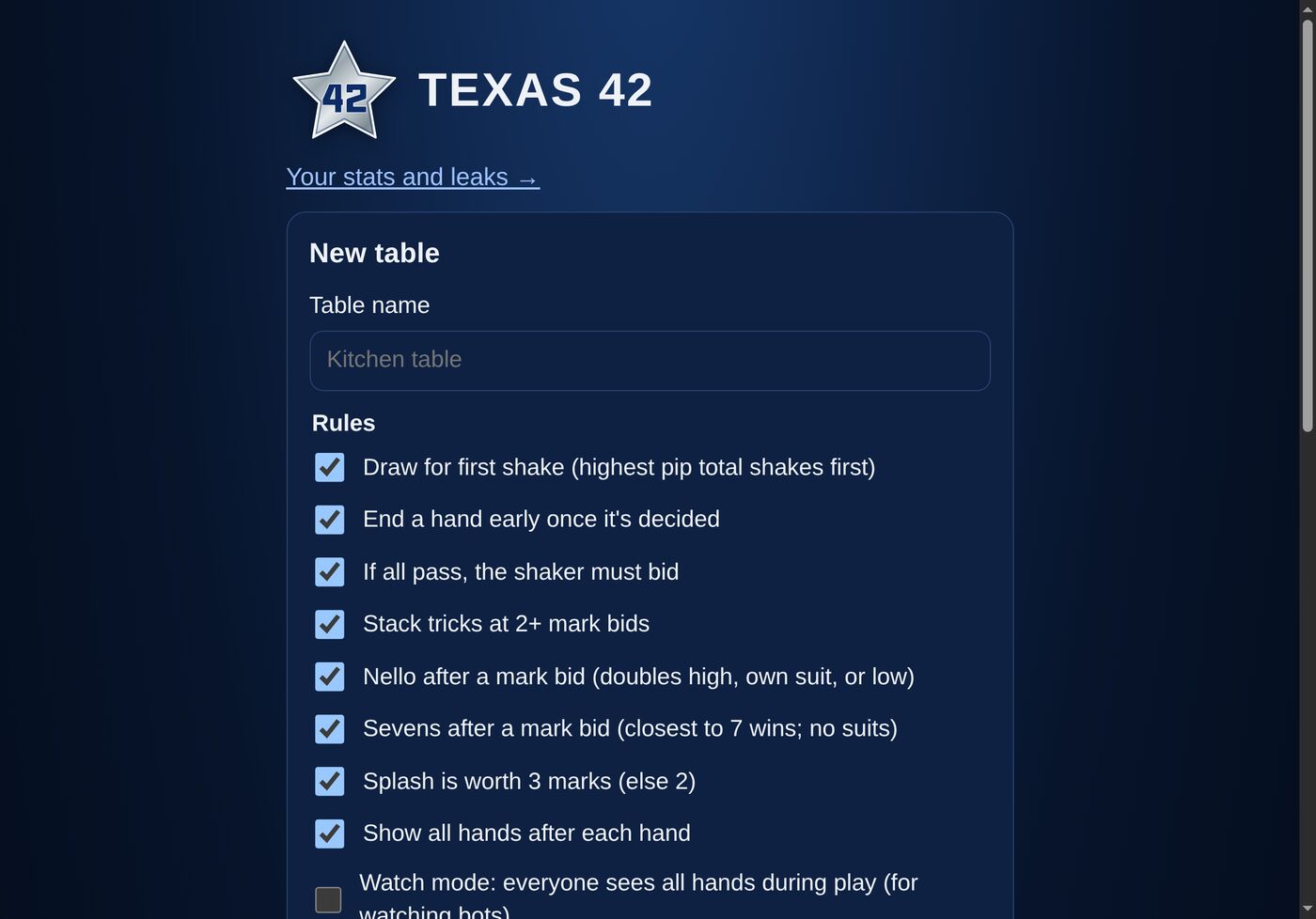
The lobby: name a table and choose its rules
Starting a new table
Give the table a name (or keep the suggestion), choose its rules, and tap Create table. Each table keeps its own rules for every game played at it:
Draw for first shake: each game starts tournament-style, with the dominoes face down and the highest draw shaking first (see Drawing for First Shake).
End a hand early once it’s decided: when the points already taken settle the bid, the hand stops instead of playing out every trick.
If all pass, the shaker must bid: the usual rule. Turn it off and four passes mean a reshake.
Stack tricks at 2+ mark bids: at big bids only the last two tricks stay visible, so you have to remember the rest, just like at a real table.
Nello after a mark bid: allow Nello, with doubles high, doubles as their own suit, or doubles low.
Sevens after a mark bid: allow Sevens. Some groups play it and some don’t, so it’s a choice per table.
Splash is worth 3 marks: or 2, if that’s how your family plays.
Show all hands after each hand: everyone’s dominoes are revealed when the hand is over.
Watch mode: everyone sees every hand during play. Handy for watching bots play each other.
Tables in play are listed under Tables, with who’s sitting at each. Tap one to open it. Near the top of the lobby you’ll also find Your stats and leaks (see Your Stats & Leaks).
3. Seats & Starting a Game
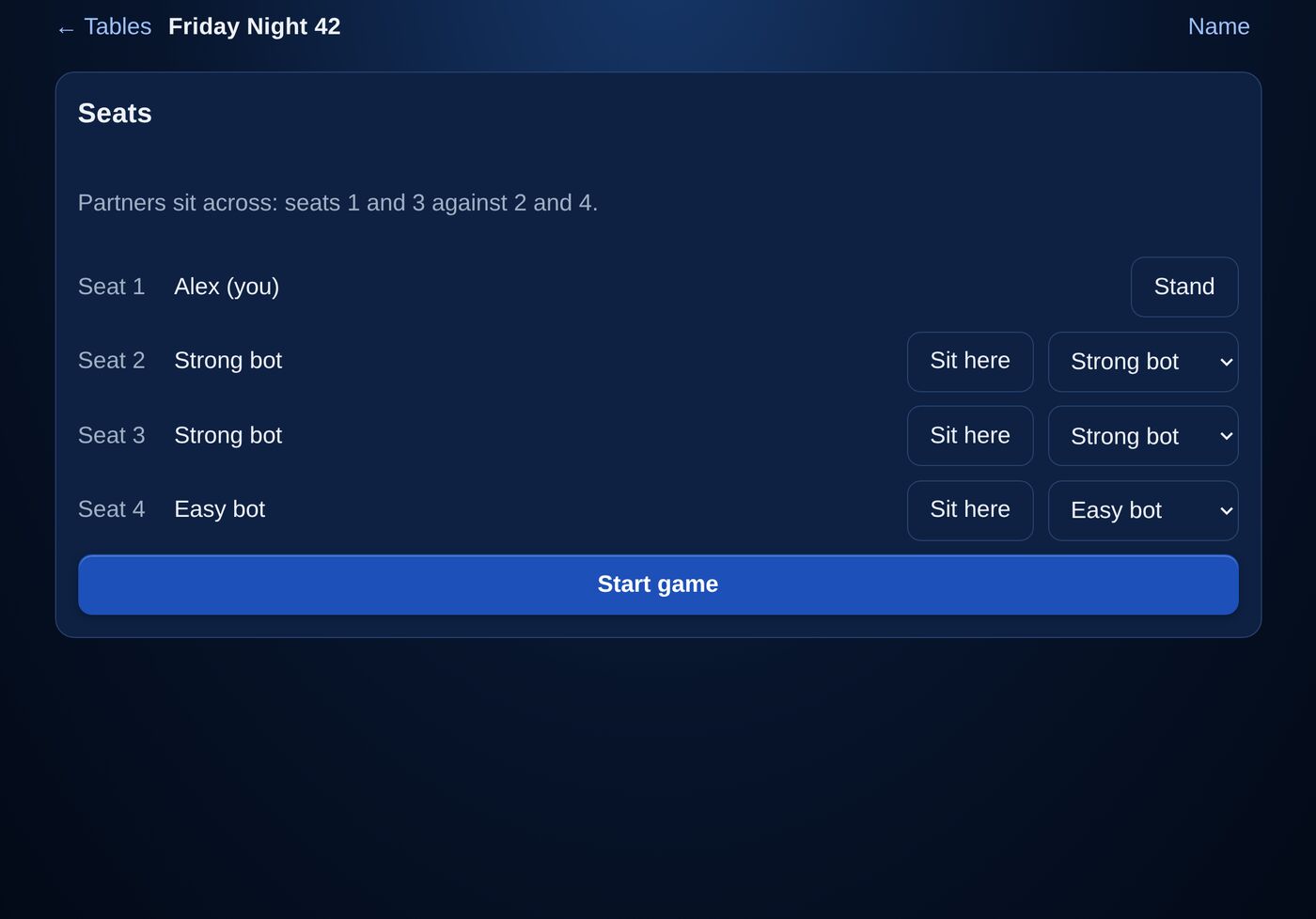
A new table opens with its Seats. Partners sit across from each other: seats 1 and 3 play against seats 2 and 4.
Sit down, fill the other chairs, then Start game
Sit here takes a seat; Stand gives it up.
Any seat without a person can hold a bot: Easy bot plays sensibly by rules of thumb; Strong bot thinks hard about every bid and play and is a real opponent (or partner); Random bot plays any legal move, for testing. Choose Open to leave a chair for a person.
When all four seats are filled, tap Start game.
Family can sit at the same table from their own devices; everyone sees only their own dominoes. During a game, Seats at the top shows the seats again.
4. Drawing for First Shake
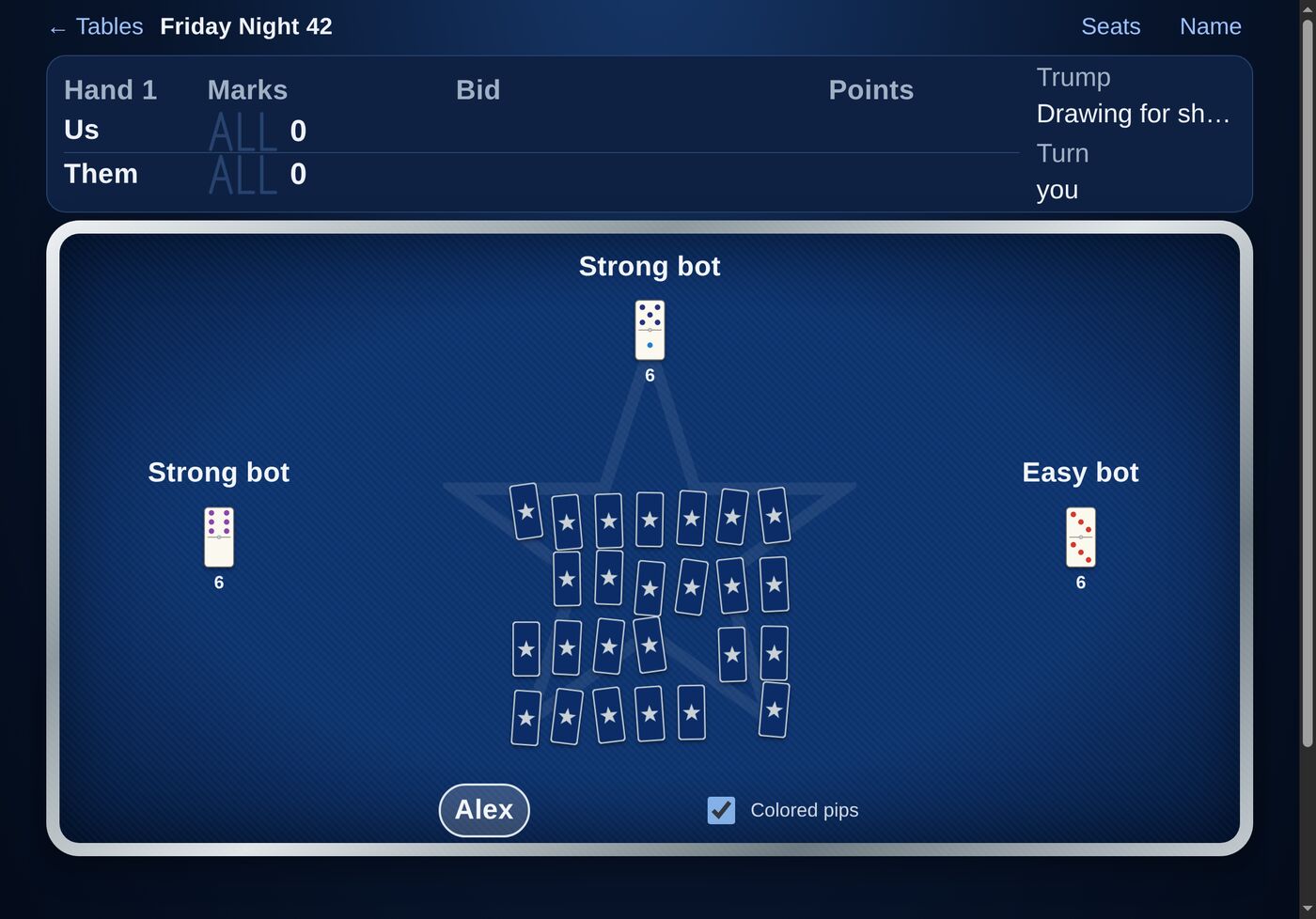
At tables with this rule, each game begins the way tournaments do. All 28 dominoes are laid face down and shuffled. Starting to the left of the shuffler, each player draws one: tap any face-down domino when it’s your turn. The highest pip total (both ends added, so the 6-6 is 12) shakes first.
Each draw is turned face up beside its player, with its total. If players tie for highest, only they draw again, from the dominoes still face down, until one is highest. Then the dominoes are shuffled again, the winner deals, and the first hand begins.
Your draw: tap any face-down dominoEach draw face up with its total; the highest shakes
5. Bidding
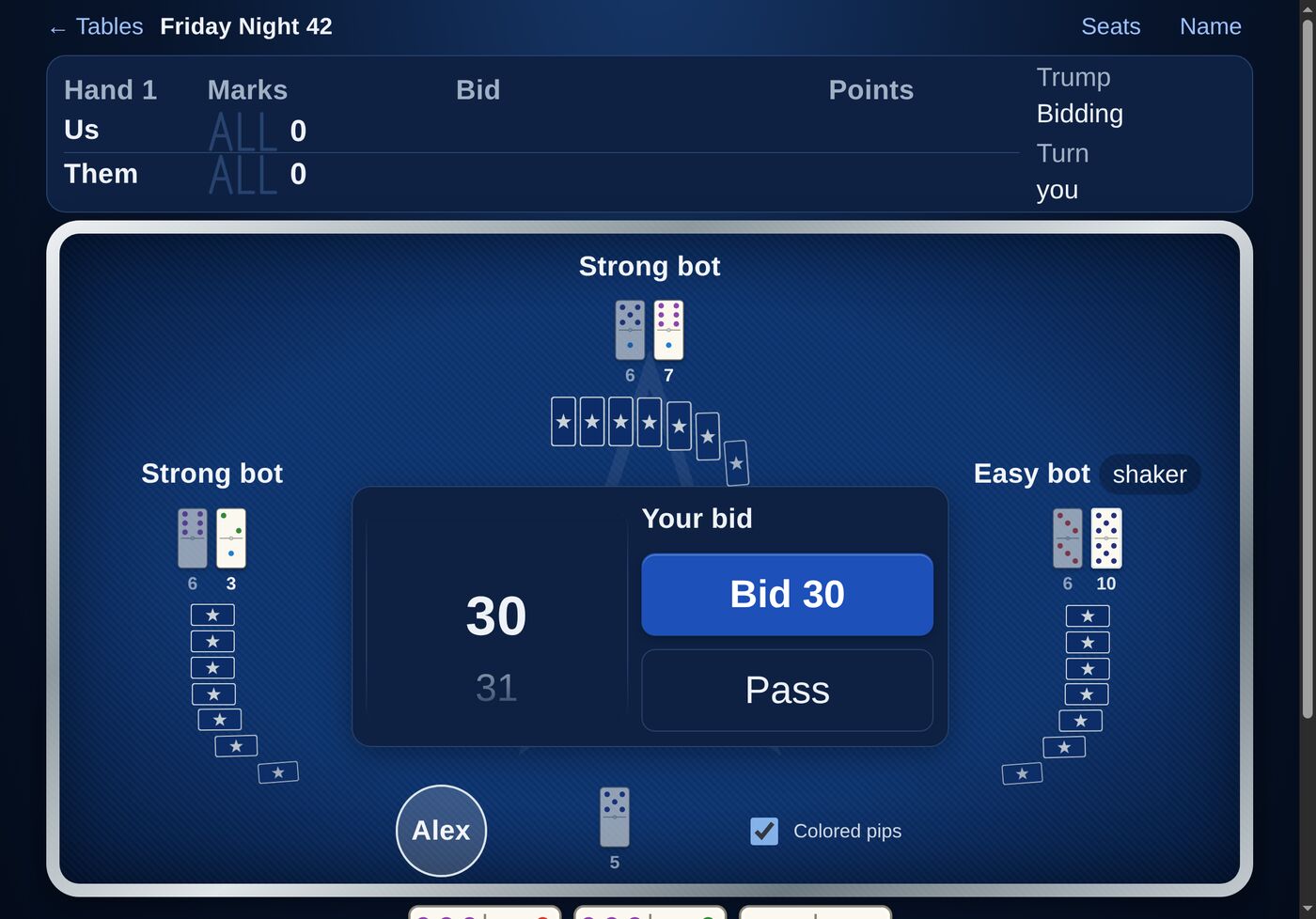
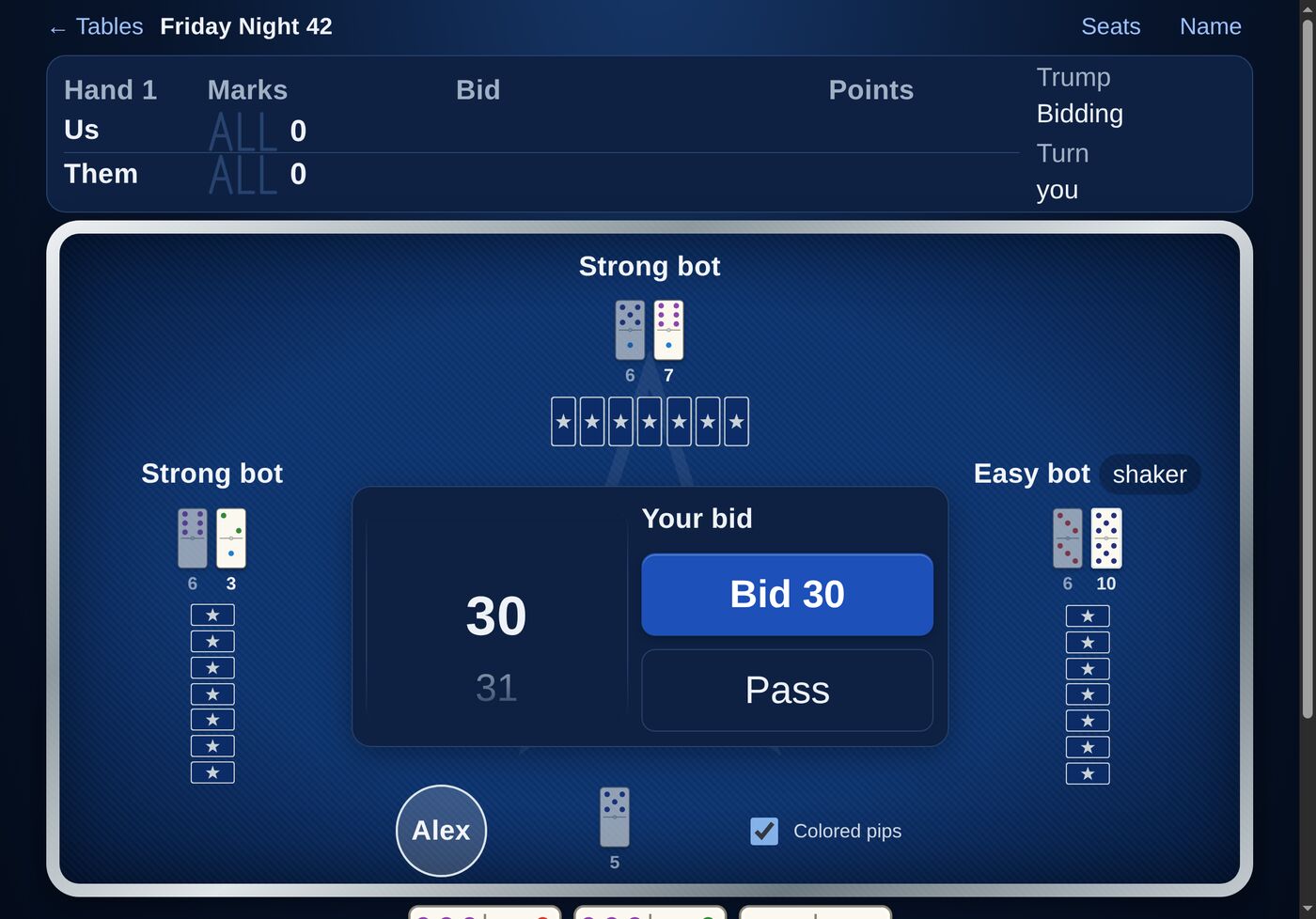
Bidding goes once around the table, starting to the left of the shaker; the shaker bids last. When it’s your turn, the Your bid panel opens in the middle of the table.
Spin the wheel to a bid, then tap Bid, or Pass
Scroll or tap the wheel to choose a bid, then tap the Bid button, which always names the bid you’ve chosen. Or tap Pass.
Point bids run from 30 to 41. 42 / 1 mark means taking every trick; 2 marks doubles the stakes. You can bid 1 or 2 marks at any time, even as the opening bid. Above 2 marks, bids go up one mark at a time.
Splash (3 or more doubles) and Plunge (4 or more doubles) appear on the wheel only when your hand allows them. Your partner names trump.
If everyone else passes, the shaker must bid (unless the table plays reshakes).
Each player’s bid (or “Pass”) shows beside their name, and the high bid shows on the scoreboard.
6. Naming Trump
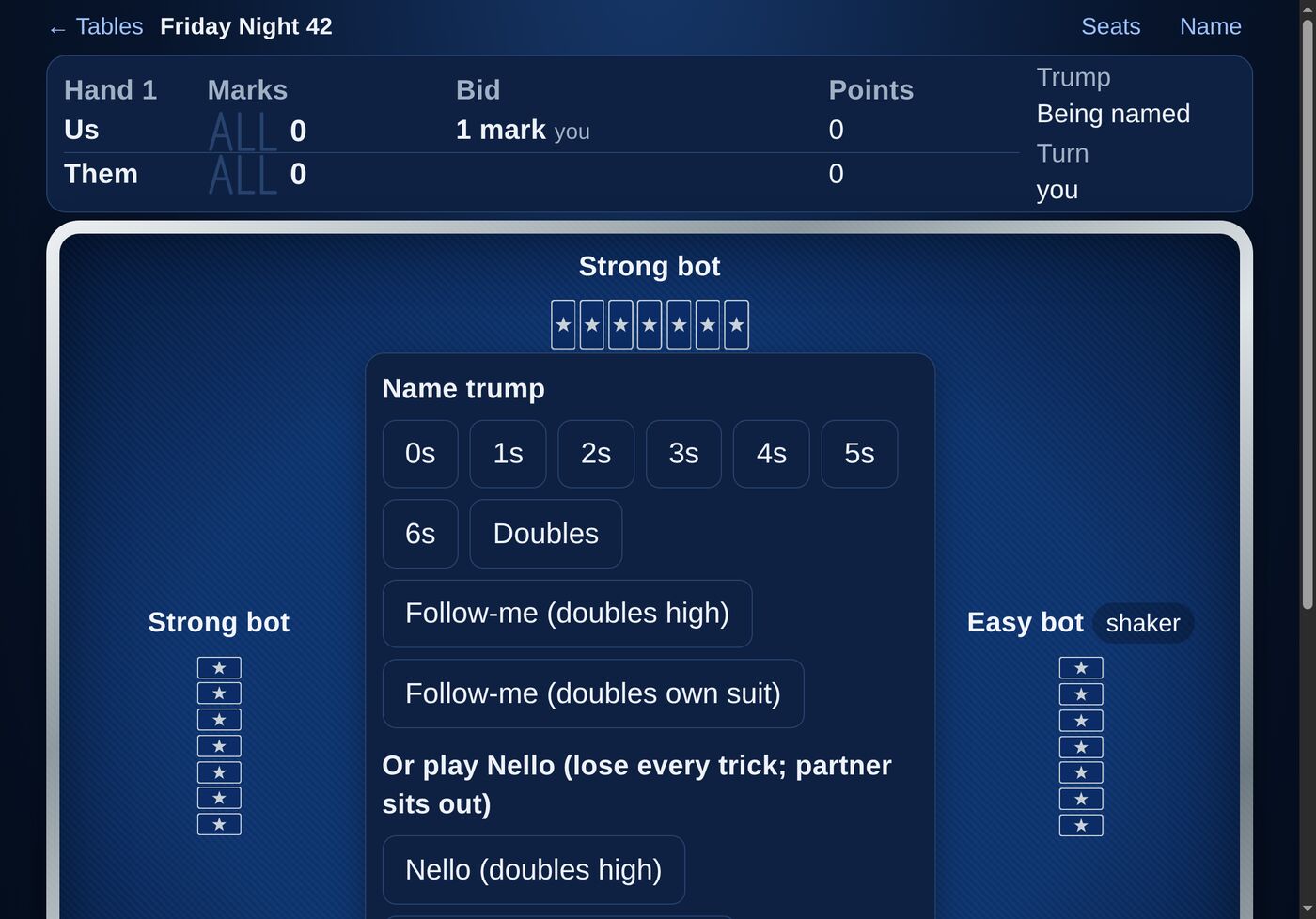
Win the bid and you name trump.
Name trump, or after a mark bid, play Nello
A suit (0s through 6s): every domino with that pip is trump.
Doubles: the seven doubles are trump, 6-6 high.
Follow-me: no trump. Choose whether doubles are high in their suit, or a suit of their own.
Nello (after a mark bid, at tables that allow it): you must lose every trick, and your partner sits out. Choose doubles high, doubles as their own suit, or doubles low.
Sevens (after a mark bid, at tables that allow it): no suits; everyone must play the domino closest to seven pips, and the closest wins each trick. Your side must win every trick.
The trump you name shows large on the scoreboard for the rest of the hand.
7. Playing a Hand
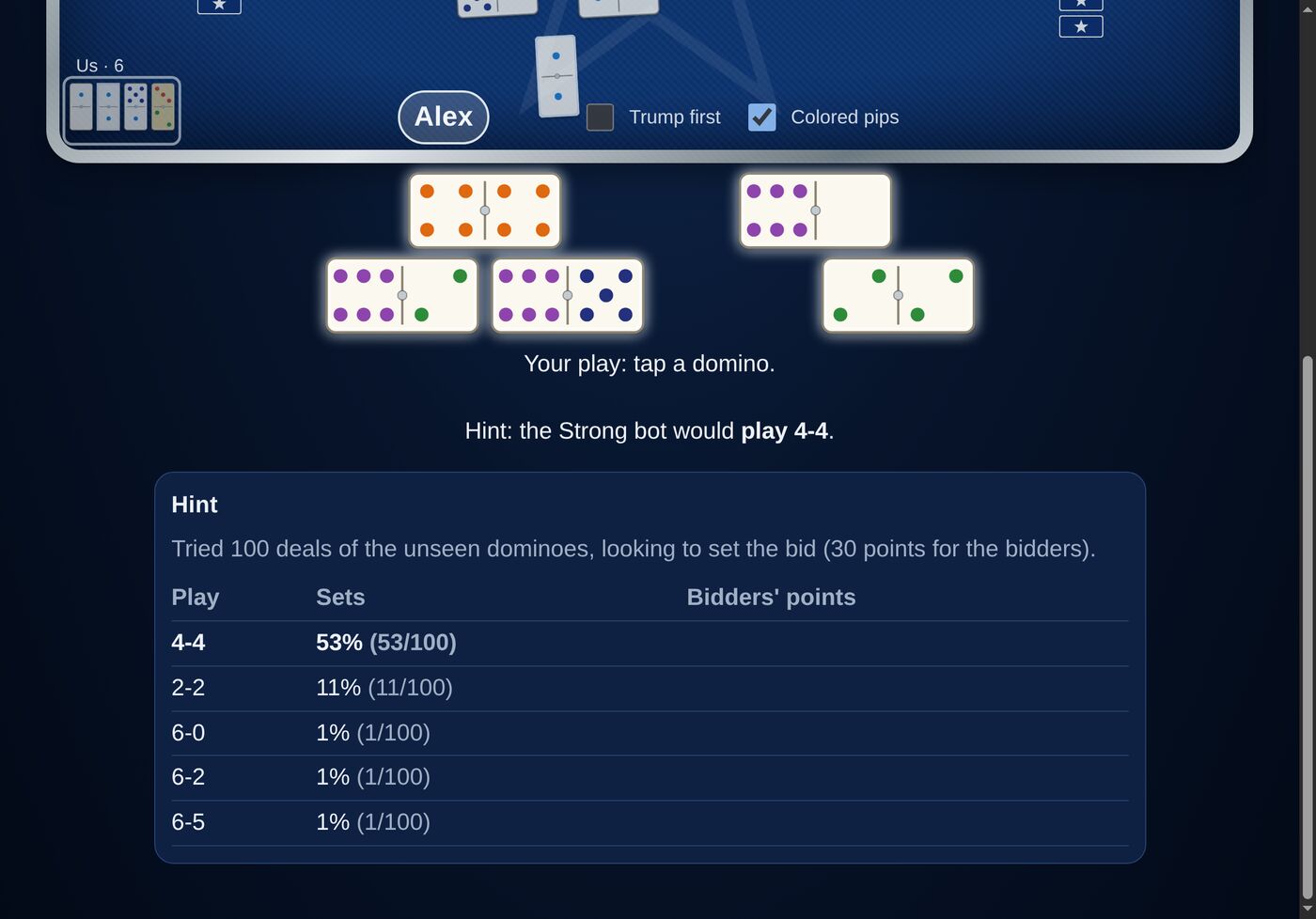
Your seven dominoes lie flat below the table, three over four, just as they would in front of you. When it’s your turn, the dominoes you’re allowed to play light up; tap one to play it. It lifts from your hand and slides into the trick. A played domino leaves a gap, so the rest keep their places.
Your turn: the lit dominoes are the ones you can play (a hint is shown here)
Each trick is played in the middle of the table, then swept to the corner of the side that won it: yours bottom left, theirs top right, with each side’s points.
Following suit: the lit dominoes already account for it. A domino’s suit is its higher end unless it’s trump, and it can follow either of its ends.
Trump first (beside your name): show your trumps at the front of your hand.
Stacked tricks: at bids of 2 marks or more (if the table uses this rule), only the last two tricks stay visible and running points are hidden.
Nello: if your partner is playing Nello, you sit out the hand; the table tells you so.
At tables that end hands early, play stops as soon as the points taken settle the bid.
8. The Scoreboard
The scoreboard across the top keeps everything in view:
Bid: the high bid and who made it, on that side’s row.
Points: each side’s points this hand.
Marks: tallied the traditional way, as the letters ALL (seven strokes to win), with the count beside them. A side’s marks glow briefly when they win more.
Trump and Turn: the trump for this hand, and whose turn it is.
A note under the scoreboard explains special hands, such as Nello, Sevens, or stacked tricks.
9. End of a Hand & Game
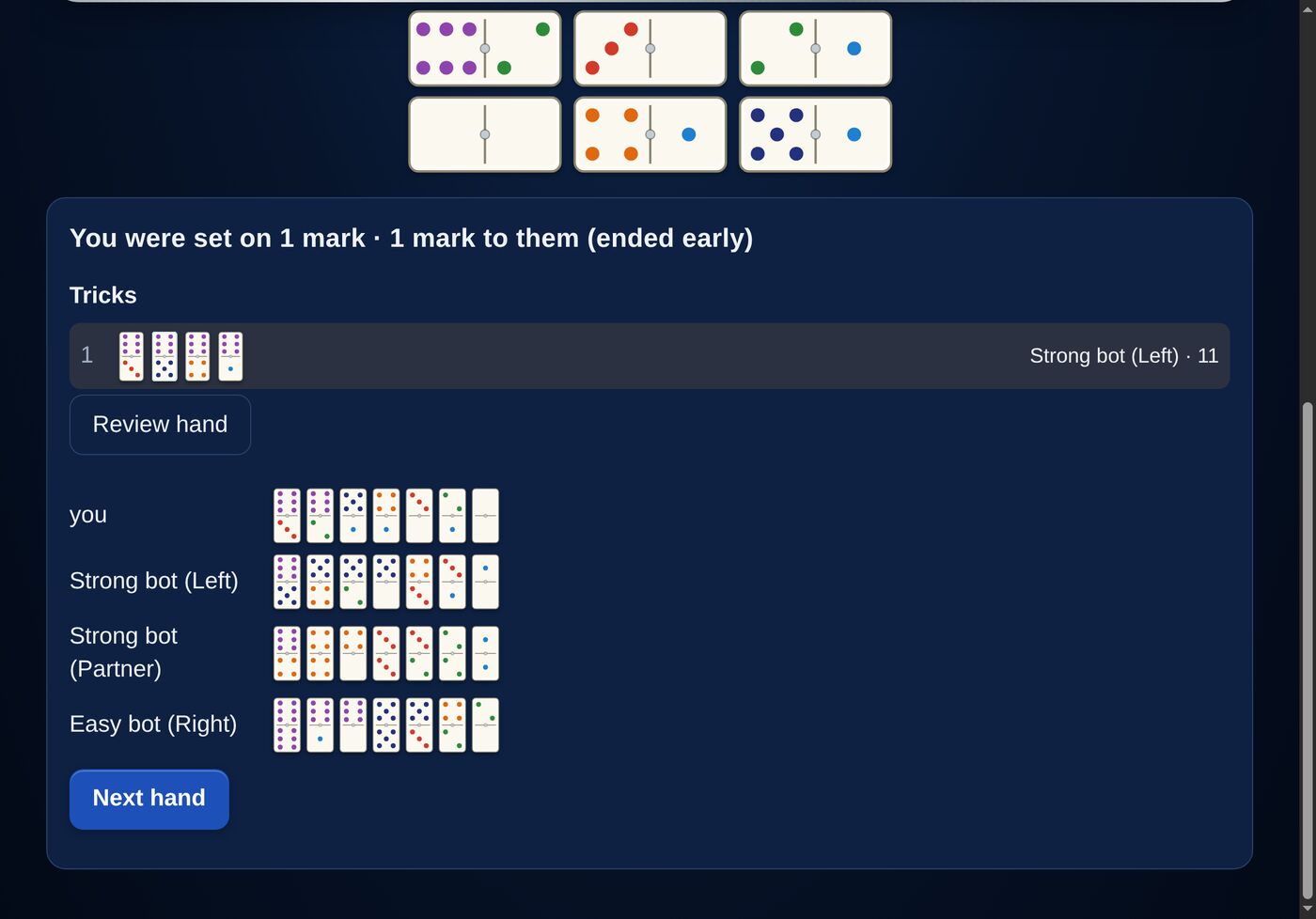
When a hand ends, a card below the table shows the result (“made” or “set”, and the marks won), every trick in order, and, at tables that show them, all four hands as they were dealt.
The result, the tricks, and everyone’s hands
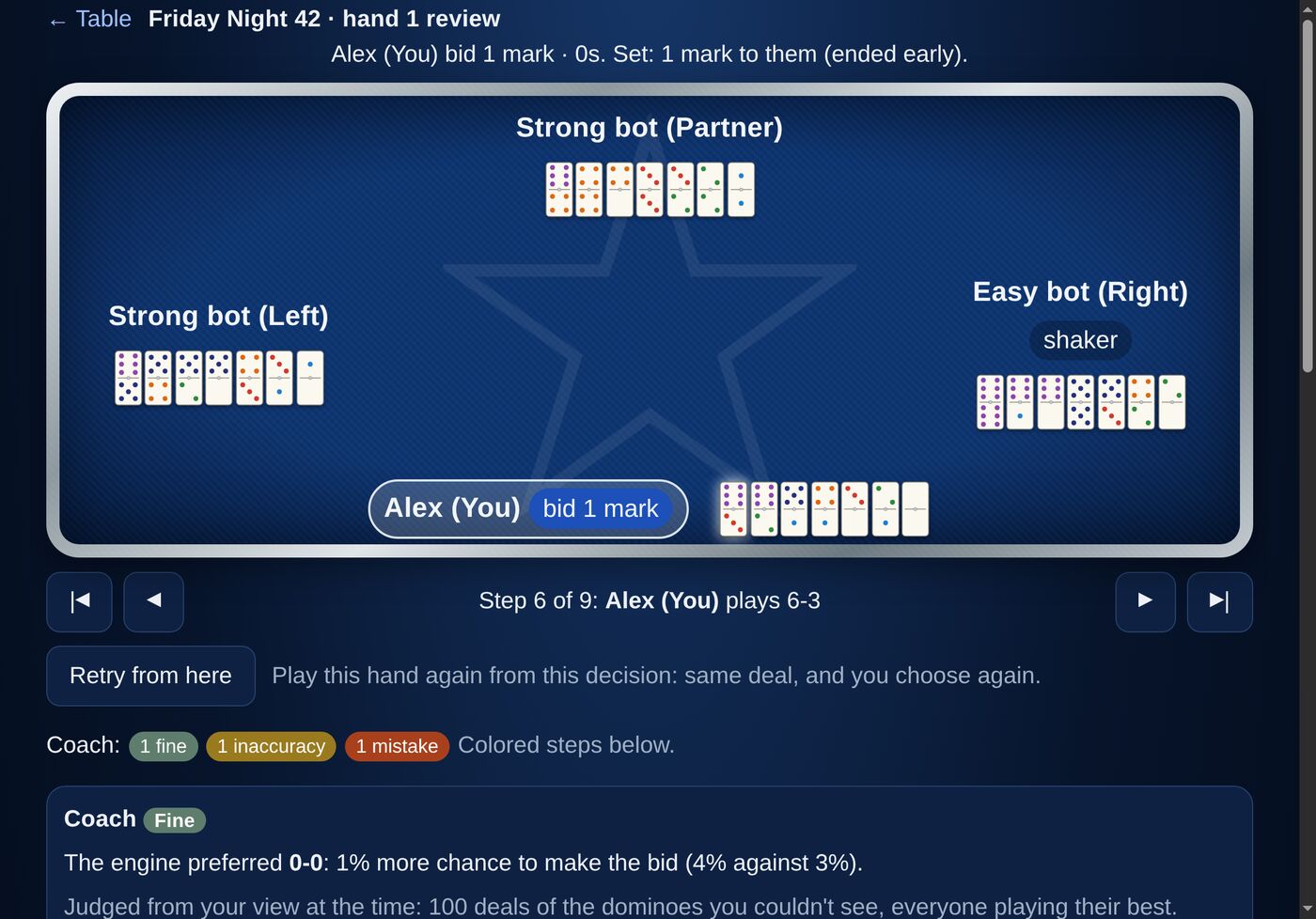
Review hand opens the hand for step-by-step review and coaching.
Next hand deals the next hand. The shake passes to the left.
When a side reaches seven marks, the game is over: a banner announces the winner (with a shower of stars if it’s your side), and New game starts another.
10. Reviewing a Hand
Every finished hand can be reviewed, step by step, with all four hands face up.
Step through every bid and play
Use the arrows to step through the hand, or tap any step in the list below: the bids, the trump call, and each trick.
When a Strong bot made the decision, Why shows its reasoning: the bids, trumps or plays it weighed, and how often each one worked out.
Flag this decision: think a bot (or the coach) got something wrong? Mark it Good, Questionable, Wrong or Rules bug, say what you’d have done instead, and add a note. Flags go back to the people building the game and are used to improve it.
Note on the whole hand: anything else you want to say about it.
11. The Coach
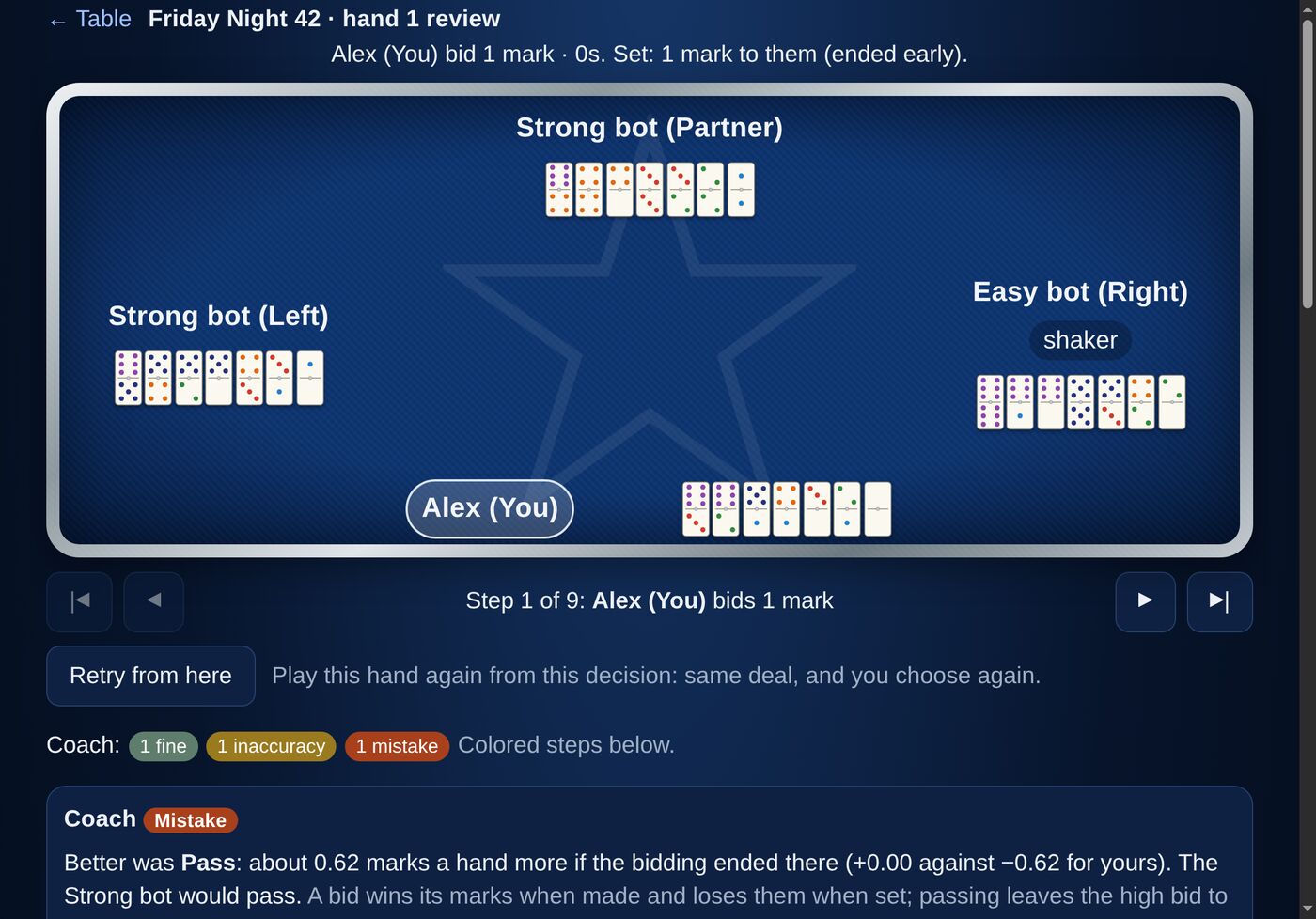
On the review screen, the coach grades each of your decisions: Best, Fine, Inaccuracy or Mistake. The steps in the list are colored by grade, and a summary at the top counts them.
The coach on a bid: every option, its chance, and what it’s worth
It judges fairly. Each decision is judged from what you could see at the time, never from hindsight. The coach imagines hundreds of possible deals of the dominoes you couldn’t see and plays each one out.
Plays are graded by how much chance of making (or setting) the bid you gave up. Bids are graded by the marks you could expect to win or lose, and each bid shows the trump it would be played in, such as “2 marks · Sevens”.
Before calling anything a mistake, the coach checks again with four times as many deals.
All hands known shows, separately, what would have happened with every hand face up. Interesting, but not the basis for the grade.
The coach takes a few seconds to go over a hand the first time; the page fills in when it’s ready.
12. Retry From Here
Wondering what would have happened if you’d bid differently, or led a different domino? On the review screen, at any of your own decisions, tap Retry from here.
You’re taken to a private copy of the game at that exact moment: same deal, same score, same bids and tricks so far, with you to choose again. The bots play on from there. When the hand ends, choose Retry again to try another way, or Back to the original hand. Retries are practice: they have hints turned on, and they don’t count in your stats.
Note: the bots think afresh in a retry, so even if you make the same choice, the rest of the hand may not play out exactly as before.
13. Training Tables & Hints
At a table created as a Training table (and in every retry), a Hint button appears beside the prompt whenever it’s your turn and you have a real choice. Tap it to see what the Strong bot would do from your seat, with its ranking of every option.
The hint only uses what you can see; it never peeks at other players’ dominoes.
Decisions you make after asking for a hint are marked “after a hint” in the review and left out of your stats.
Normal tables never offer hints.
14. Your Stats & Leaks
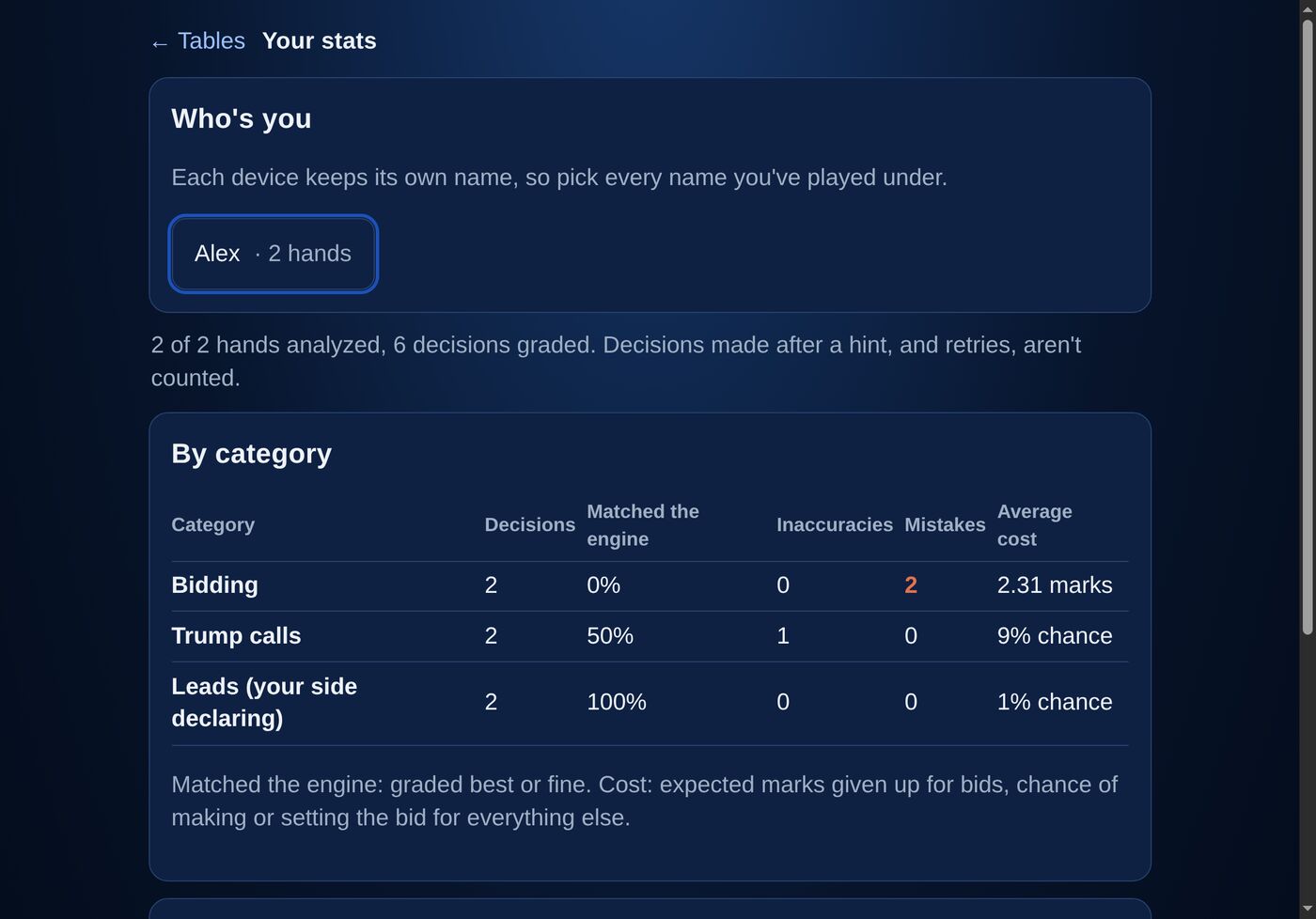
Your stats and leaks, from the lobby, collects the coach’s grades on all your hands.
Your decisions by category
Who’s you: each device keeps its own name, so tick every name you’ve played under.
By category: bidding, trump calls, leads, follows, defense and Nello play: how many decisions, how often you matched the engine, and your inaccuracies and mistakes.
By session: the same, day by day, so you can see the trend.
Recurring leaks: the kinds of mistake that keep showing up, like “Pulling trump too long” or “Overbidding with 3 trumps and 2 doubles”, each with links to the exact moments in your hands.
Hands are analyzed in the background; if some aren’t ready yet, the page says so and fills in as it goes.
15. Looks & Display
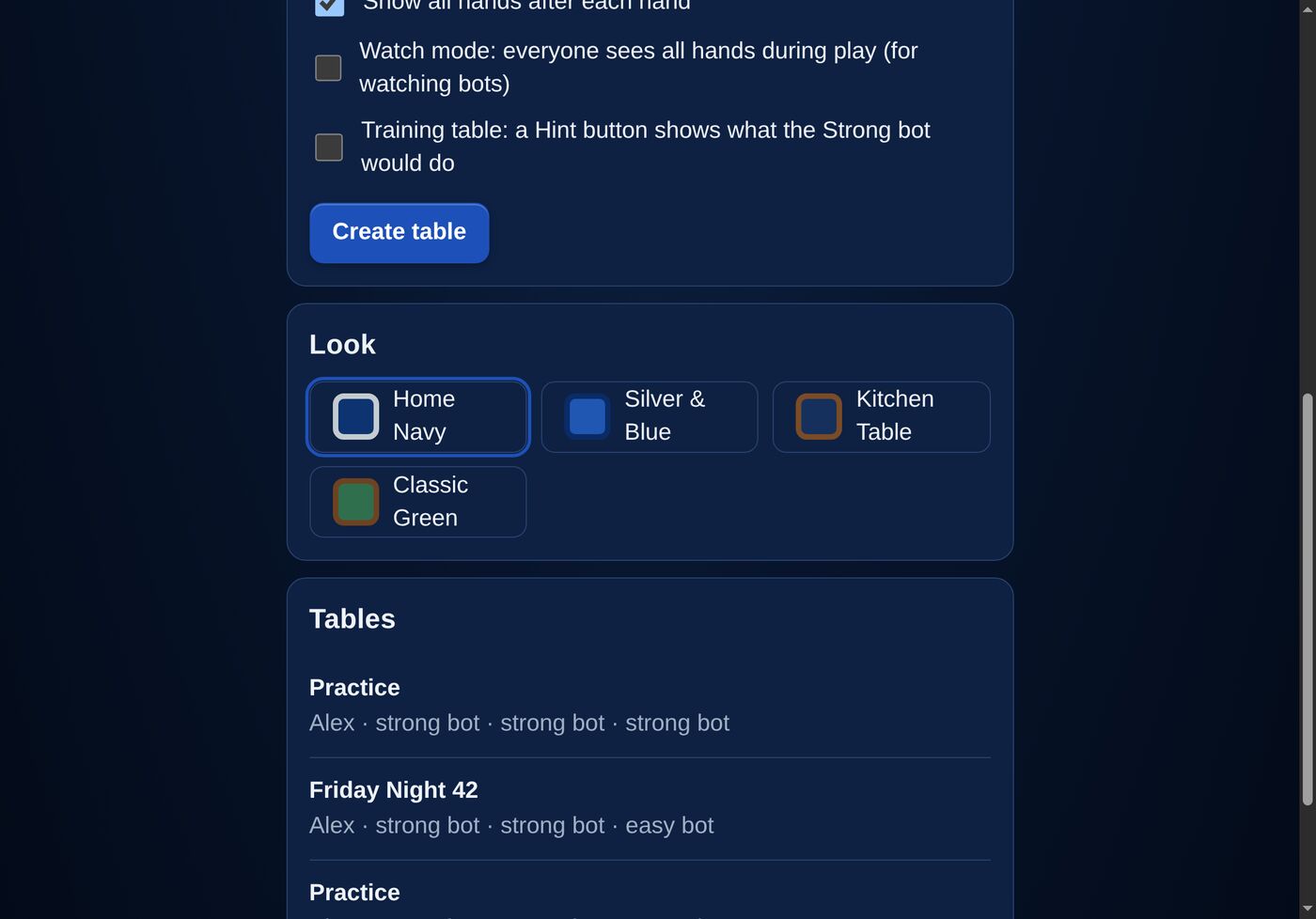
Under Look in the lobby, choose how the table looks on this device:
Four looks, chosen per device
Home Navy: navy felt in a brushed-silver rail (the default).
Silver & Blue: a lighter look, with royal-blue felt.
Kitchen Table: an oak tabletop with a navy felt mat and ivory dominoes.
Classic Green: traditional green felt.
Colored pips (beside your name at the table) colors each number differently so suits stand out; turn it off for classic black pips. On iPhone and iPad, the game follows Reduce Motion in Settings → Accessibility and skips its animations.
16. Tips & Questions
Who can play right now?
Texas 42 is in limited-use testing with family and invited friends, and isn’t open to the public yet. If you’d like to be considered when it opens up, email us at the address below.
Does it cost anything? Are there ads?
No, and no.
Where are my games kept?
On ElevenSeventeen Systems’ own private server, reachable only by invited players. There are no accounts with passwords, no tracking and no advertising.
Does it work on Android?
It’s designed to work in any modern browser, including Chrome on Android phones and tablets. It has been tuned and tested mostly on iPad and iPhone, so let us know if anything looks off on your device.
I disagree with a bot, or with the coach
Please flag it! On the review screen, use Flag this decision. Every flag is read, and many have already made the bots and the coach better.